Everything You Need to Know To Make A Good Developer Portfolio Site
I've browsed hundreds of portfolio websites. In this blog, I break down the 3 most important aspects you need to be thinking about when making your own developer portfolio website.

Background
This was a 7 day series covering essential web design principles:
If you want to read quality posts & guides early, follow me on my LinkedIn
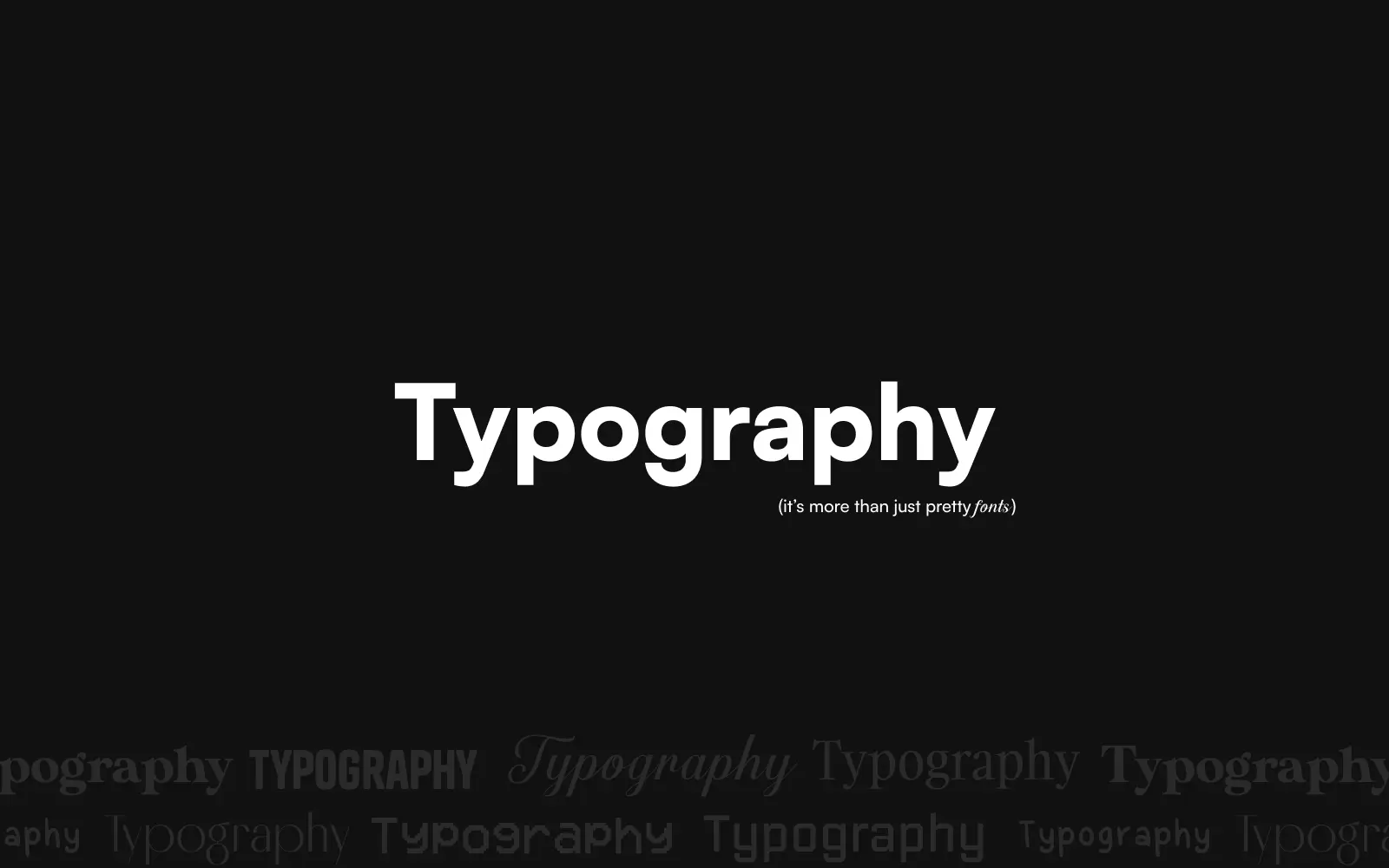
Typography sets the foundation of any creative website. Its what shapes first impressions and carries your message before anything else does. If your type doesn’t match your story and identity, the whole design falls apart.
Serif fonts are characterized by small decorative lines or "feet" (serifs) attached to the ends of its letters. Usually used to evoke a sense of sophistication, elegance, or traditional.
Sans-serif fonts are characterized by the absence of small decorative lines (serifs) at the ends of its letters. They're more clean, readable, and minimal.
Mono(space) fonts is a typeface where every character (letters, numbers, symbols, spaces) occupies the exact same horizontal space. Ideal for code / terminals.
Adjusting these properly is what creates a clear visual hierarchy.
I use Typescale to reference and design my website’s typography.
Ensuring your text is readable but doesn’t hurt the user’s eyes.
I use the a11y contrast checker plugin on Figma. You can also check the contrast directly on the website using dev tools.
Size contrast between text.
Try to pick 3~5 font sizes for the whole project. The steps between font sizes should be BIG.
Left align is the most common because its very easy to read since the text doesn’t have inconsistencies at the start of each line.
Center align can be more visually balanced, but center & right align is harder to read if overused. Keep text short.
My rule of thumb:
My top picks:
Good typography shapes first impressions.
Different type styles evoke different emotions — whether you intend them to or not.
Award-winning websites don’t use color to decorate.
They use it to evoke emotion, direct attention, and tell a story.
Color is one of the fastest signals your site sends. Before a user reads a word, color has already set expectations about trust, energy, seriousness, or playfulness. When color choices are unintentional, the entire experience feels noisy or confused.
Good color systems are deliberate, restrained, and purposeful.
Different color temperatures naturally evoke different feelings:
The right choice depends on what you want the site to communicate and how you want users to feel while interacting with it.
Dominant color
The color that occupies the most visual space and sets the overall mood of the site.
Supporting colors
Colors that work alongside the dominant color to add contrast, depth, and rhythm.
Accent color
Used sparingly to draw attention and guide the eye — CTAs, links, highlights, key moments.
A common guideline is the 60/30/10 split, but treat this as a reference, not a rule.
Primary color: the main brand color
Secondary colors: additional brand colors that support the identity
A brand’s primary color does not have to be the dominant color on the site.
Before calling a color system “done,” ask yourself:
The prettiest elements mean nothing if they’re misplaced.
Grids help you decide where elements belong — and why. They’re not there to limit creativity, but to give structure to it. A good grid makes layouts feel intentional, balanced, and easy to navigate, even when the design itself feels expressive.
There are many variations, but the 12-column grid is the most commonly used because of its flexibility.
A practical way to set one up:
Columns can also be subdivided further (e.g. 12 → 16 or 24) when you need more precision and control.
Column grids work especially well for responsive layouts and content-heavy pages.
This grid is based on the proportions of the canvas itself, rather than predefined columns. It’s especially useful for more unusual or editorial-style designs.
A simplified way to construct it:
You don’t need to use every line. Instead, pick a few strong power lines to align key elements.
This grid is less about structure and more about composition and balance.
Rectangular grids are highly structured and made up of repeating modules.
These grids are great when consistency and clarity matter most, such as dashboards, galleries, or data-heavy interfaces.
This category includes asymmetric, diagonal, circular, or custom grids — often a combination of multiple systems.
A useful mindset here:
The grid should support the idea, not overpower it.
Breaking out of a grid — intentionally — can create emphasis, tension, or surprise. Some of the most interesting layouts come from knowing the grid well enough to bend or ignore it at the right moments.
Idea and composition first.
Use the grid as a tool to structure that idea.
JUST MAKE COOL UX FRIENDLY DESIGNS
For a more visual exploration, check out Grids by Obys Agency
How do you bring a website to life?
Animations, when used well, enhance the user experience by guiding attention, reinforcing intent, and setting the overall feel of a site.
To create animations that feel natural and intentional, focus on:
Just like in nature, nothing moves in straight lines. Every movement influences the next. These small details turn isolated animations into a cohesive flow.
Well-crafted interactions can transform a plain interface into something engaging and memorable — making every click, hover, and scroll feel smoother and more satisfying.
Most great websites rely on the same small set of techniques. You don’t need dozens of effects. Master a few, and reuse them consistently. This follows the Pareto Principle (80/20 rule): a small number of techniques produce most of the impact.
Here's my top 5:
For a deep, visual dive into interaction design, Motion by Zajno is an excellent resource
Also shoutout to Codrops and Olivier Larose's YT vidoes. They were some of my favourite resources starting out.
Don’t look for design inspiration until you can answer these two questions:
If you can’t answer them clearly, inspiration becomes a trap. You’ll scroll for hours, save dozens of references, and still feel stuck.
That’s because a design’s main purpose isn’t to look cool — it’s to communicate value to the user. A visually impressive site that fails to communicate its intent is still a bad design.
There are endless websites you could pull inspiration from.
But not all inspiration is relevant.
Your design needs to fit your message — not the other way around. If you start with visuals instead of intent, you’ll end up forcing ideas into a context they don’t belong in.
For example:
Scenario: You’re a photographer building a portfolio site.
Only after defining purpose do references become useful.
I keep a curated list (not endless scrolling), here are a some worth bookmarking:
Awwwards — You can check out other awards websites too (CSSDA, FWA, GSAP Showcase to name a few) BUT if one website is featured on one award website, there’s a 95% chance it’s on every other awards website (the showcases are pretty much the same)
Minimal Gallery — For specifically minimal websites
Dark Mode Design — Only dark mode websites
Stack Sorted — Kinda like Refero but for interactive components
BOOKS & MAGAZINES
Personally I don’t use Behance or Dribbble. In my opinion, it’s too much noise & hard to find exactly what you’re looking for
No one can spend 100,000 hours doing something and not get better at it.
So why do so many people feel like they never improve?
I’m bad at failing.
Even when no one’s watching, failure knots my stomach.
When people are watching, it’s worse.
Which is ironic — because this mindset directly contradicts the advice I already know is right.
Psychologist Carol Dweck calls this a fixed mindset
The belief that your skill level is capped by some invisible ceiling you were born with.
But think about it
No one can put in:
Come think of it, it seems like any amount of practice is going to be an improvement
Practice ALWAYS changes you, just not always in ways that feel good
When you’re “stuck,” you’re still learning.
When something doesn’t work, you’ve ruled out an entire path.
The best developers I know didn’t get there because they’re naturals. They got there because they failed over and over and kept going anyway
If someone makes something look effortless, you’re not watching their first attempt.
You’re watching their 100th
So if you feel like you’re not improving, ask yourself this instead:
Are you actually stuck or are you just in the uncomfortable part where learning is happening?
Because that feeling?
That’s not a signal to stop
It’s the signal that it’s working
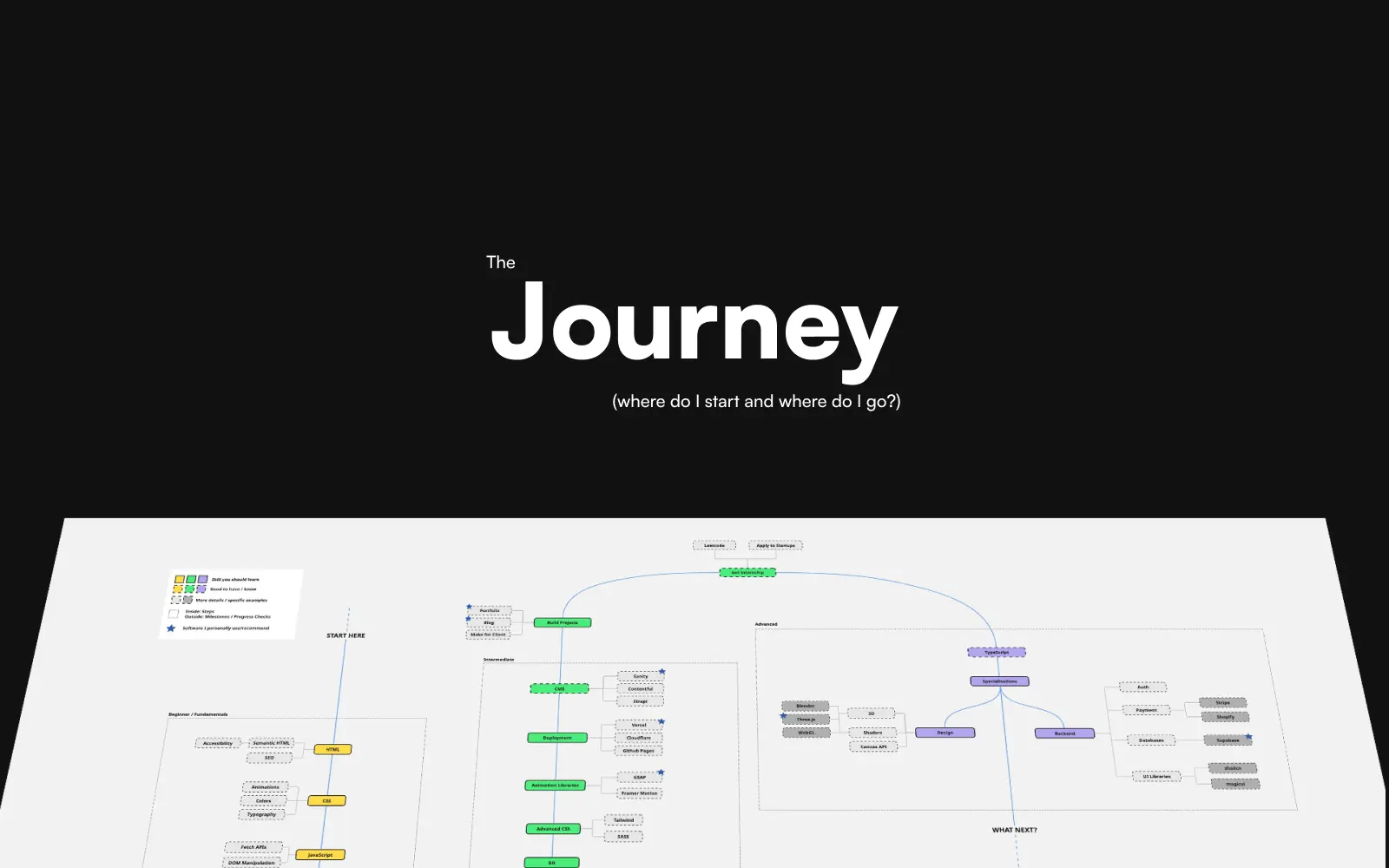
Here’s one year of my web development journey summarized — and more importantly, the framework I use to learn things. This isn’t a “perfect path.” It’s just what worked for me.
I focused entirely on the basics: HTML, CSS, and JavaScript.
No frameworks. No shortcuts.
It’s tempting to jump straight into React or whatever’s trending, but fundamentals compound. Building without them is like building a house on weak foundations — everything you stack on top eventually collapses.
At this stage, the goal wasn’t speed.
It was understanding.
Once the fundamentals were solid, I moved on to tools and skills that matter in real projects and industry:
The key shift here was how I learned.
Instead of passively following tutorials, I:
That’s how you escape tutorial hell. Progress only becomes obvious when you’re forced to make decisions without someone holding your hand.
At this point, I started specialising.
For me (as a frontend developer), that meant diving into more advanced topics:
I also started posting online — not to “teach,” but to document my growth. That process alone forced clarity, reflection, and consistency. Over time, it also helped build a personal brand.
If you don’t know where to begin, I put together the roadmap I’d follow if I had to start over from scratch:
Use it as a reference, not a rulebook.
Everyone’s journey looks different — but progress comes from the same place:
showing up, learning deeply, and sticking around long enough for it to compound.